Creating a dbt project in a Dagster project
Using dbt Cloud? Check out the Dagster & dbt Cloud documentation.
In this tutorial, we'll walk you through integrating dbt with Dagster using a smaller version of dbt's example jaffle shop project, the dagster-dbt library, and a data warehouse, such as DuckDB.
By the end of this tutorial, you'll have your dbt models represented in Dagster along with other Dagster asset definitions upstream and downstream of them:
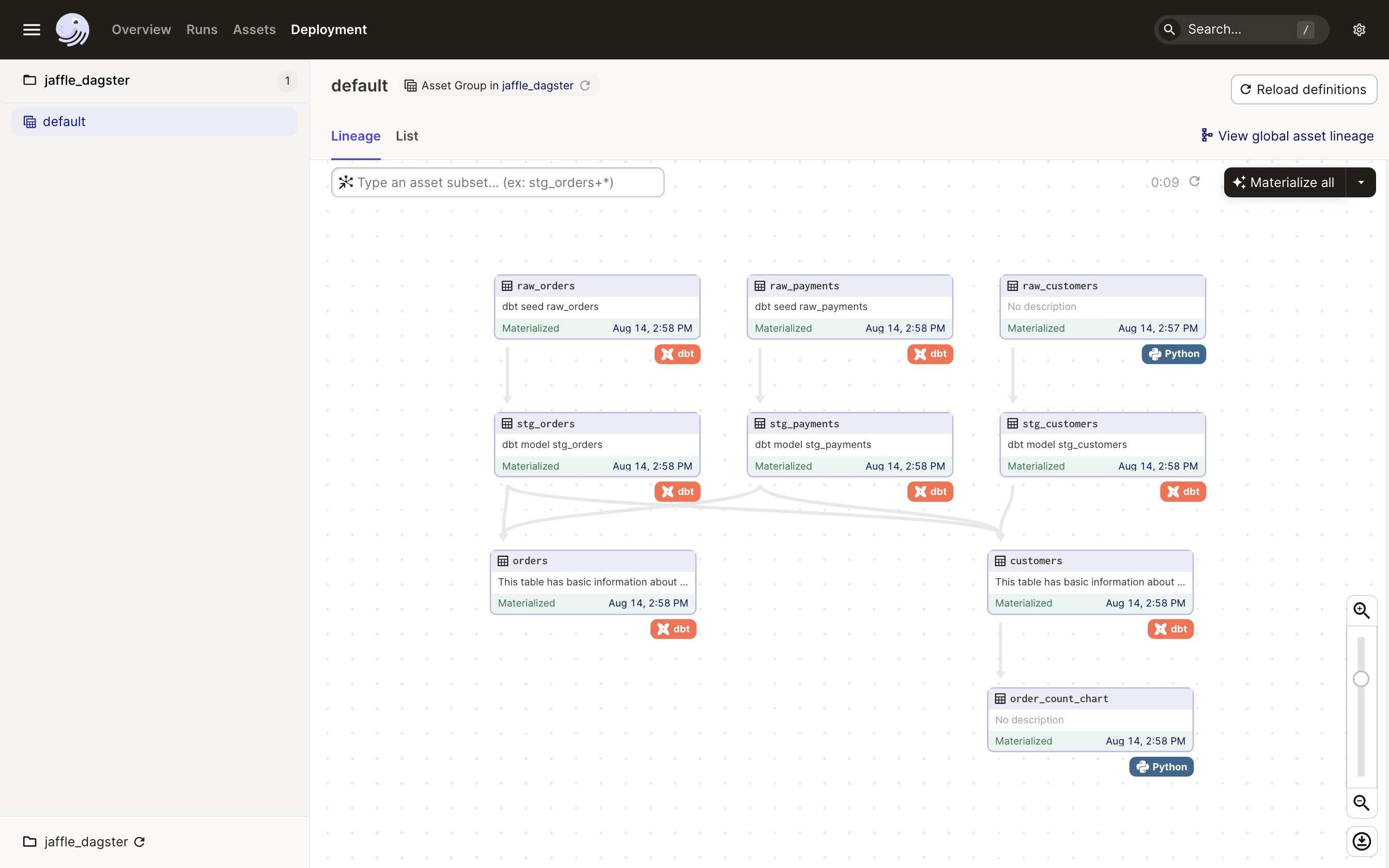
To get there, you will:
- Set up a dbt project
- Load the dbt models into Dagster as assets
- Create and materialize upstream Dagster assets
- Create and materialize a downstream asset that outputs a plotly chart
Prerequisites
To complete this tutorial, you'll need:
-
To have git installed. If it's not installed already (find out by typing
gitin your terminal), you can install it using the instructions on the git website. -
To install dbt, Dagster, and the Dagster webserver/UI. Run the following to install everything using pip:
- uv
- pip
uv add dagster-dbt dbt-duckdbpip install dagster-dbt dbt-duckdbThe
dagster-dbtlibrary installs bothdbt-coreanddagsteras dependencies.dbt-duckdbis installed as you'll be using DuckDB as a database during this tutorial. Refer to the dbt and Dagster installation docs for more info.
Ready to get started?
When you've fulfilled all the prerequisites for the tutorial, you can get started by setting up the dbt project.